New Windows 10 Insider Build Lets You Mirror Android Apps From Phone
Microsoft recently released a new Windows 10 Insider Build with several new features and updates. Among the features, the most interesting is “phone screen”, a feature that enables users to mirror their phone directly onto the PC.
The features are part of the “Your Phone” tool that Microsoft introduced previously. Users need to set up their Android device by establishing a connection to the PC via Bluetooth.
The Android device must be on the same network as the PC as well. Once connected, the Windows app will show a list of installed Android apps on the device. Users can then click any app to start using it on the remote phone screen.
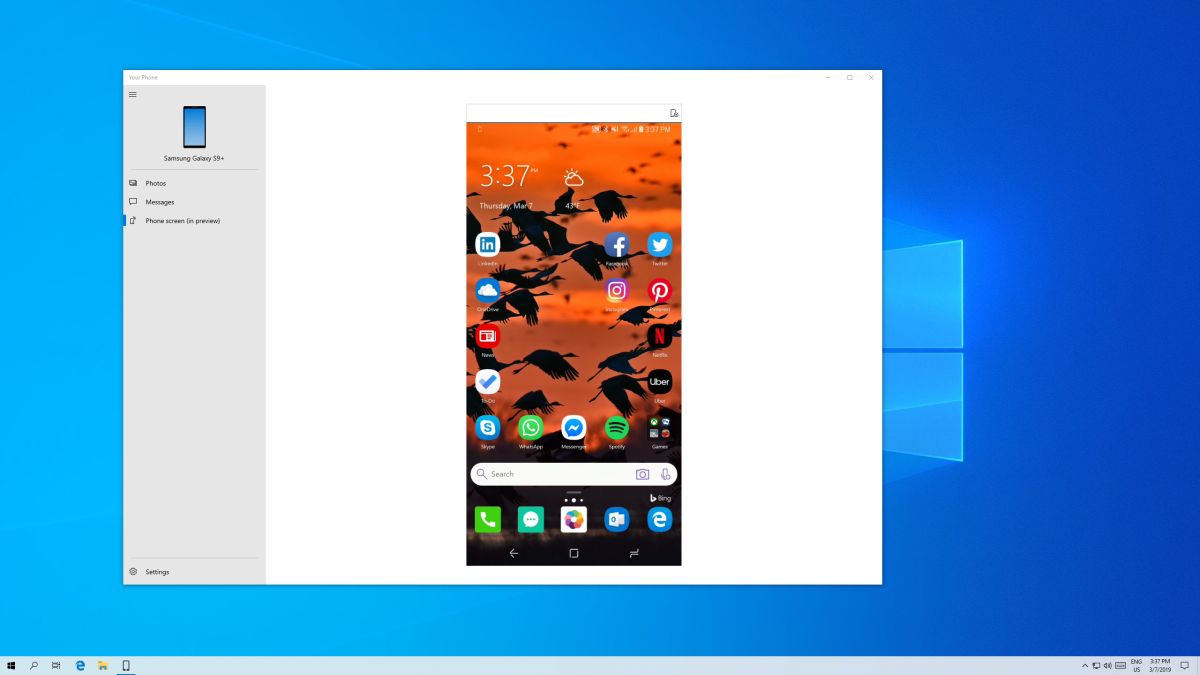
At current, support is restricted to Samsung devices. Specifically, the Samsung Galaxy S8, S8+, S9 and S9+. The list of supported devices is expected to expand as the feature gets closer to a stable release.
It should be noted that users must be a Windows Insider in the Fast ring to receive the latest Windows 10 Insider Build 18356 (19H1) to get the Android app mirroring tool.
(Source: XDA Developers, Microsoft)
The post New Windows 10 Insider Build Lets You Mirror Android Apps From Phone appeared first on Lowyat.NET.
from Lowyat.NET https://ift.tt/2HAYx0L
Labels: Lowyat

0 Comments:
Post a Comment
Subscribe to Post Comments [Atom]
<< Home